A redesigned ticket experience, unified activity tracking, and a new AI Hub — everything your team needs to deliver faster, smarter customer care.
Redesigned from the ground up — cleaner layouts, unified time tracking, and improved visibility across every channel.
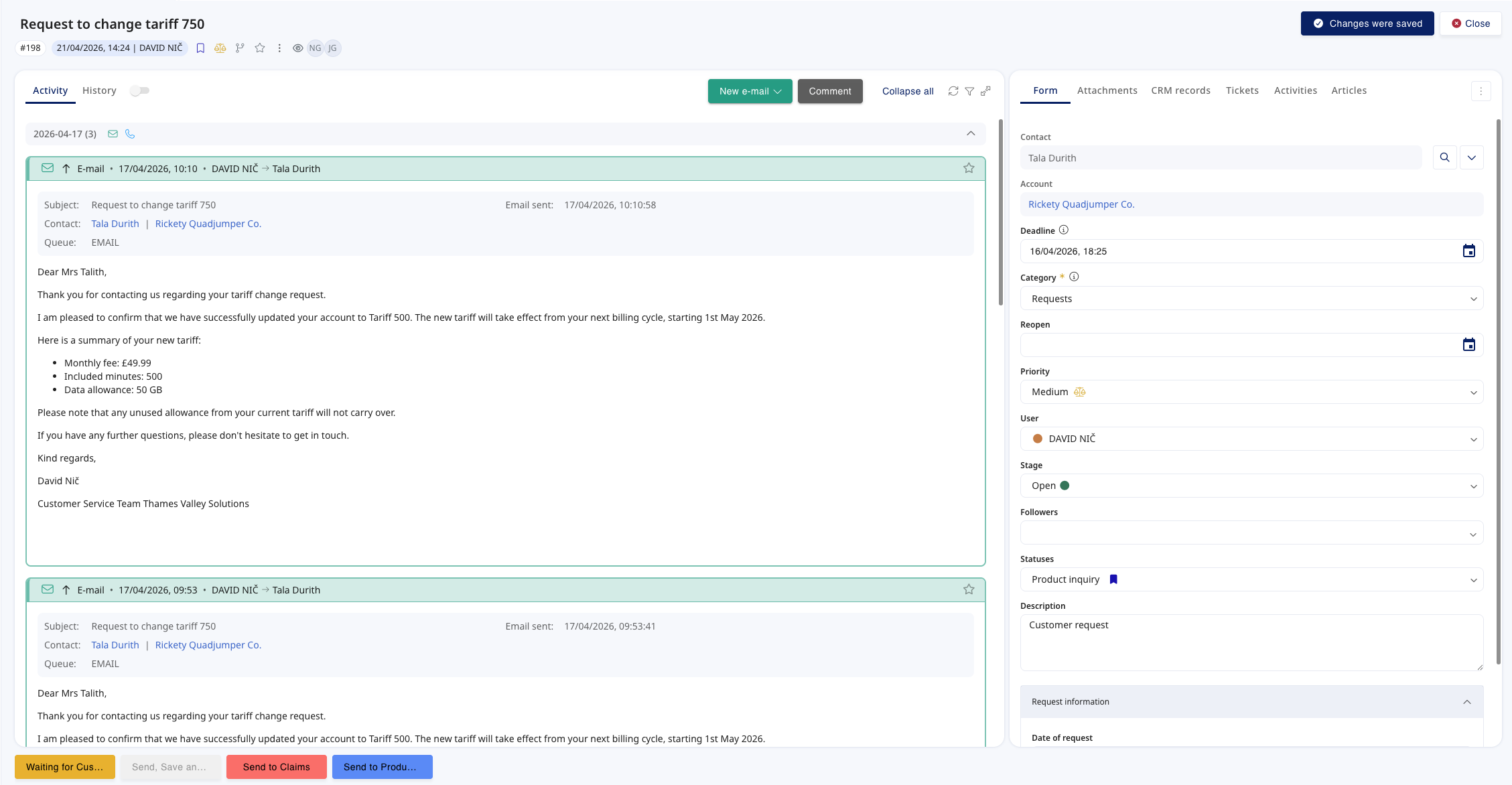
We've completely redesigned the ticket detail to deliver a more modern, comfortable workspace. The new two-column layout keeps the most important information visible at all times, while a fixed header and footer provide consistent access to key actions.
Each column scrolls independently, allowing agents to review long ticket content, internal notes, and related information — without losing context.
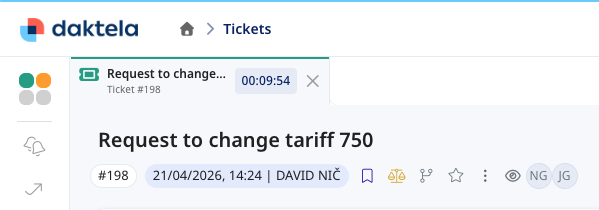
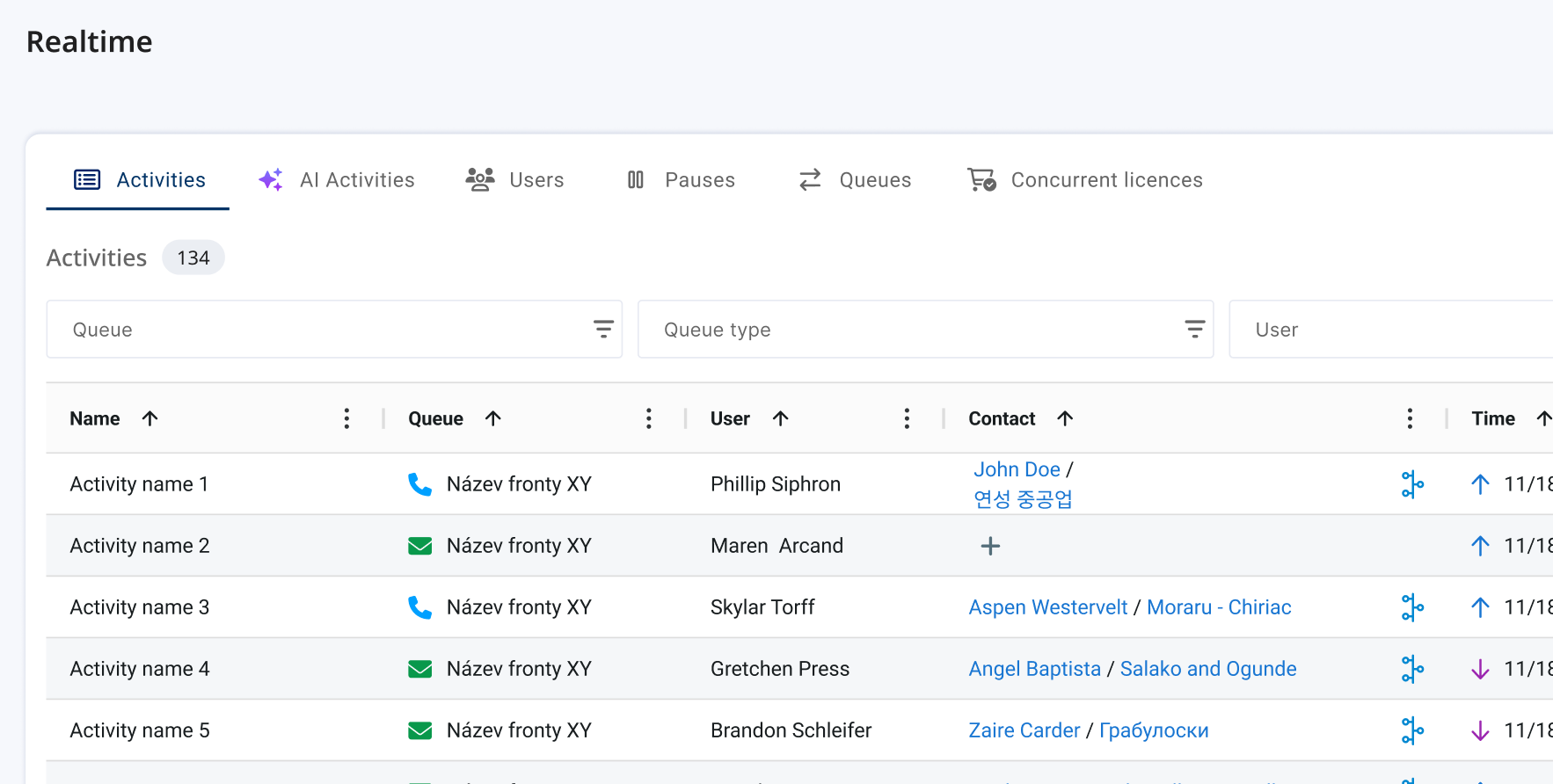
Working with tickets is now handled as a timed activity. Opening a ticket automatically creates an activity tab — so ticket handling can finally be time-tracked, just like calls and chats.
This closes a long-standing gap for customers who need full visibility into agent workload, including time spent outside of real-time channels.
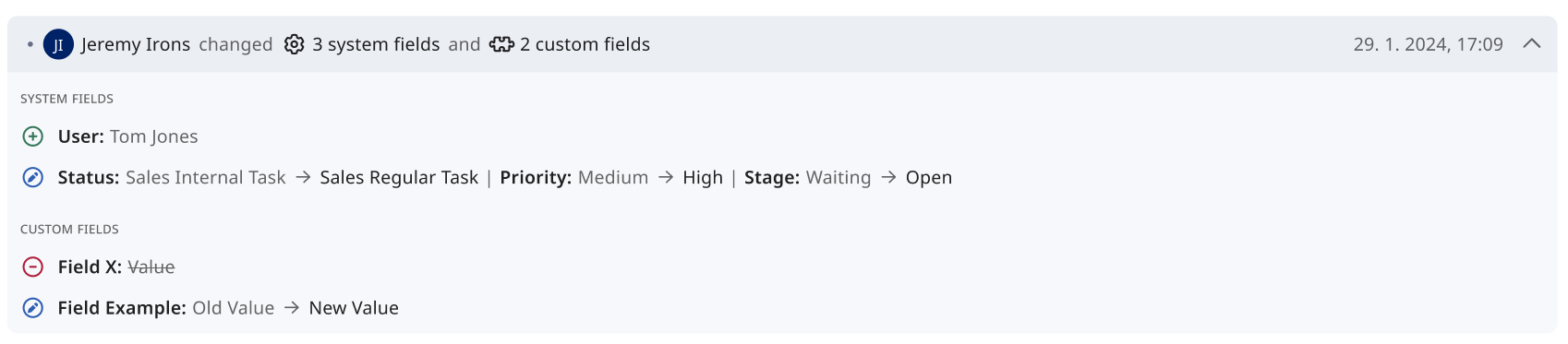
The ticket history has been completely rebuilt. Updates are displayed chronologically and can be expanded to show exactly what changed — with visual highlights on affected fields.
A new Context view combines ticket updates and activities into a single chronological timeline, creating a full-picture overview of the ticket's lifecycle.
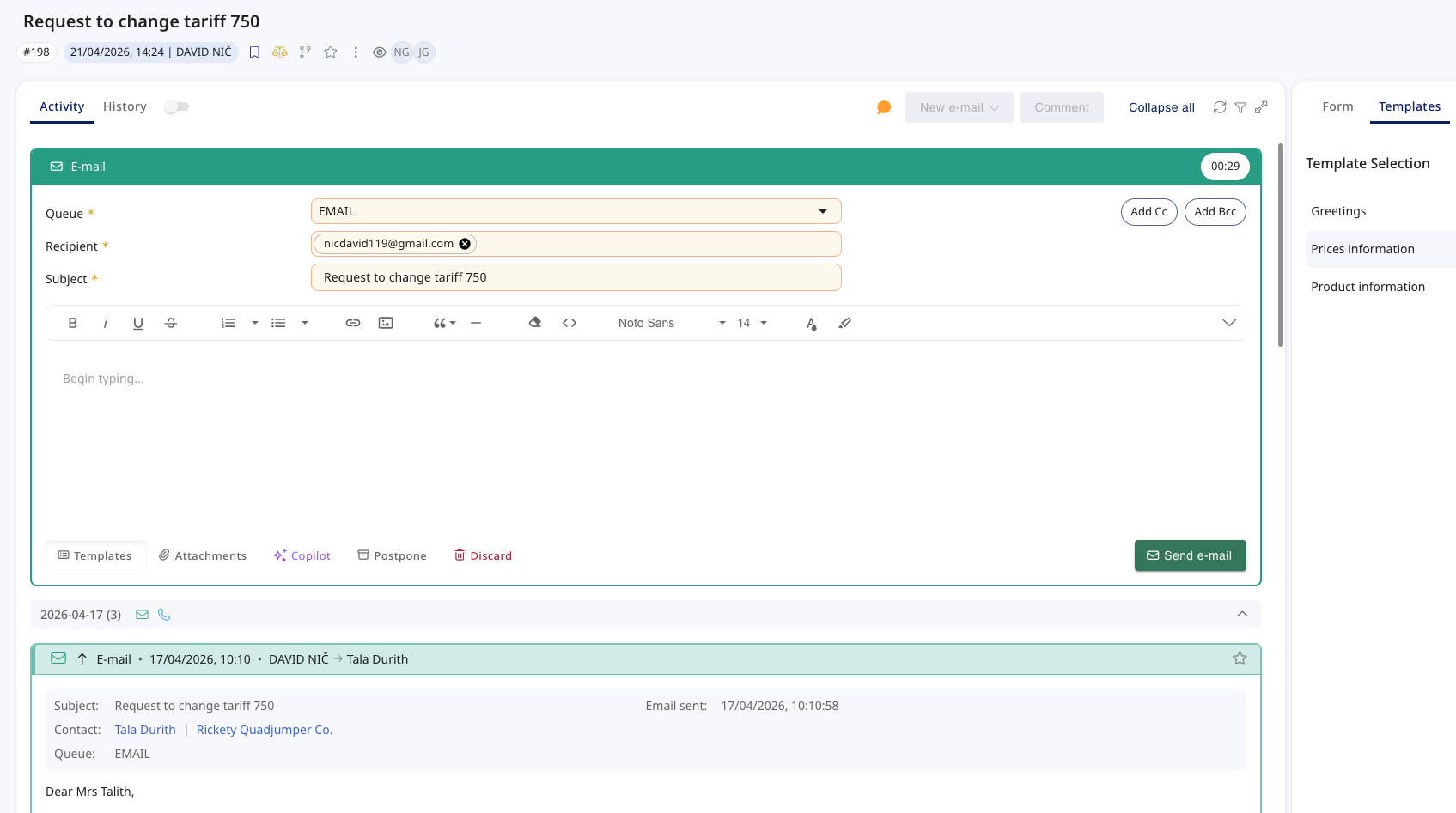
Outbound emails no longer open in a separate tab. Emails can now be composed directly inside the ticket detail — everything stays in one place while agents draft their response.
A ticket can now run both a ticket activity and an email activity simultaneously, each measured independently for granular workload insights.
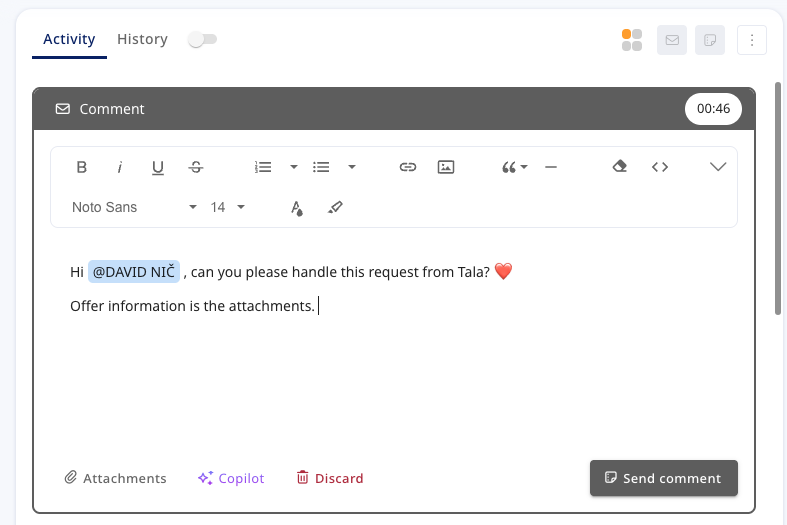
Writing comments is now a timed activity, letting teams capture how much time agents spend composing notes — completing the unified activity model.
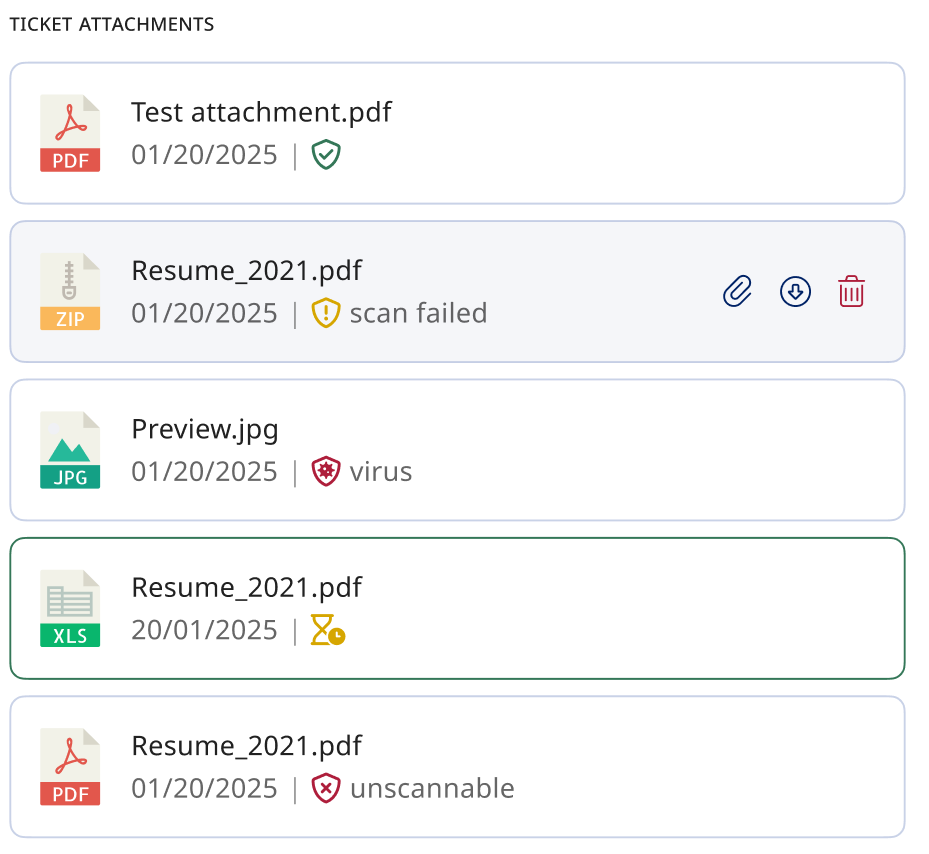
All uploaded attachments are now automatically scanned. Each file shows a clear status icon — safe, threat detected, or unscannable — directly in the ticket detail.
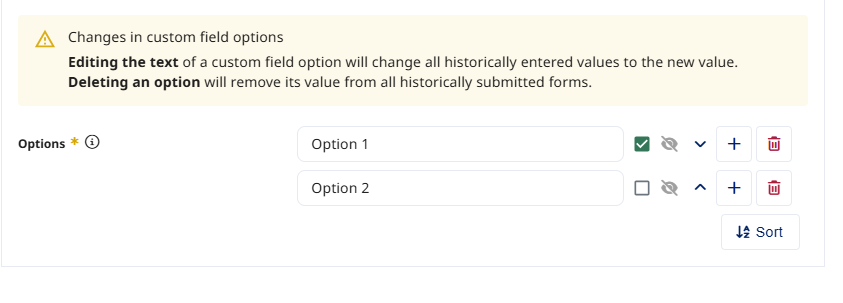
Deactivated options remain visible in historical forms but are no longer selectable. Renaming an option updates the value across all previously submitted forms.
Each widget now lives in its own tab — no more endless scrolling. A dedicated AI Coworker tab separates automated activity from real agent workload.
Agents can now see whether a WhatsApp message was successfully delivered and when it was read — matching the native messaging experience.
A new queue-level option generates Speech-to-Text only when required by AI QA, reducing unnecessary processing and optimising consumption.
A centralised AI Hub, more capable coworkers, and deeper integrations across every communication channel.
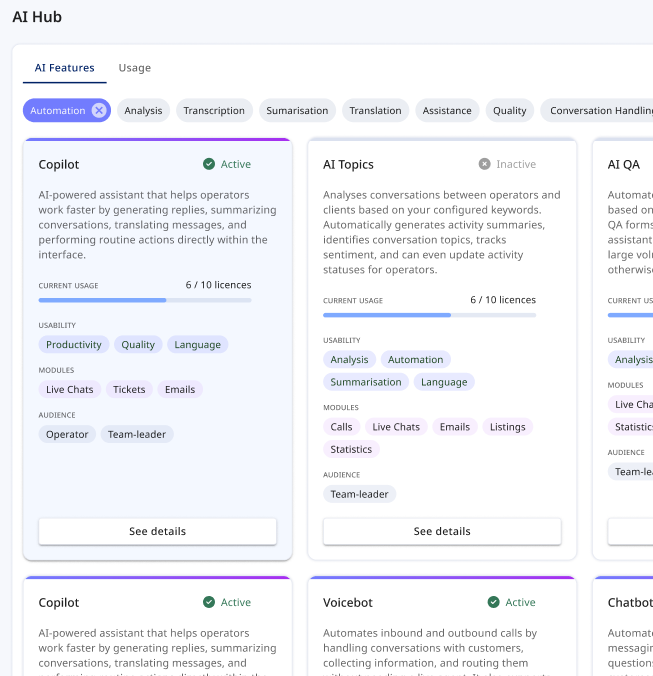
Your central place for everything related to Daktela AI. The AI Hub provides a clear overview of all available AI features — what they do, how to enable them, and where to find documentation.
Features are displayed as cards with activation status, descriptions, and practical tags. A dedicated Usage tab tracks consumption and key statistics to support self-service decisions.
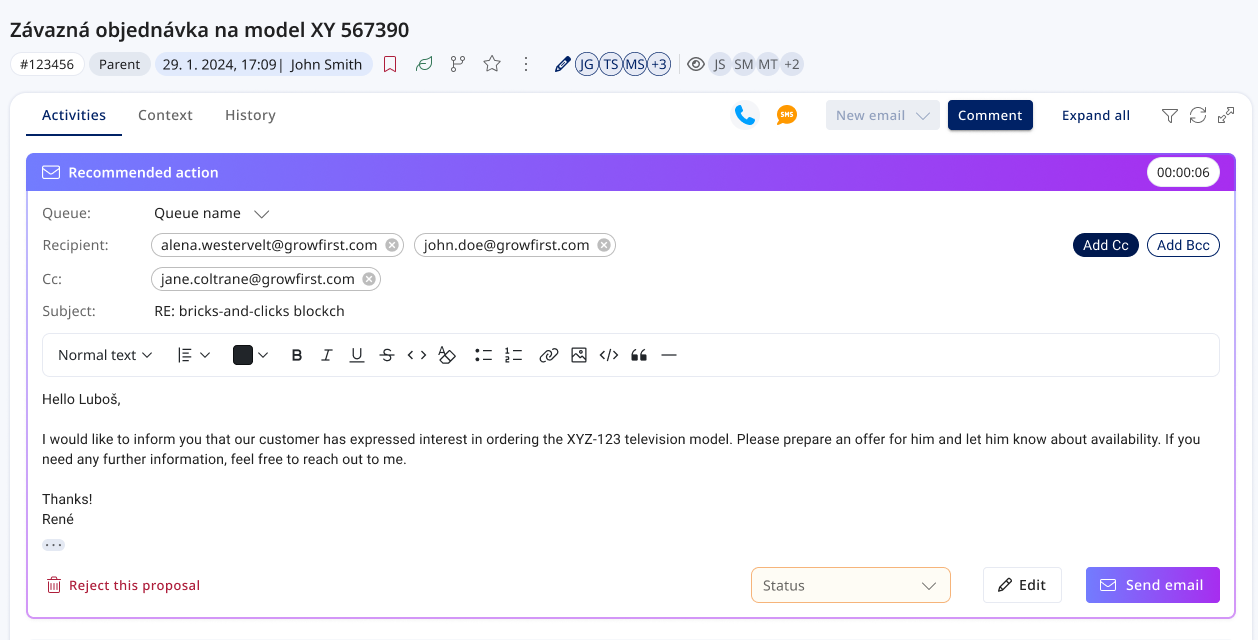
Mailbots can now draft an email reply and save it directly into the ticket. Agents review the suggestion and send in one click, edit before sending, or discard entirely.
The result is fed back to the AI Coworker — providing feedback on what was used and improving future handling.
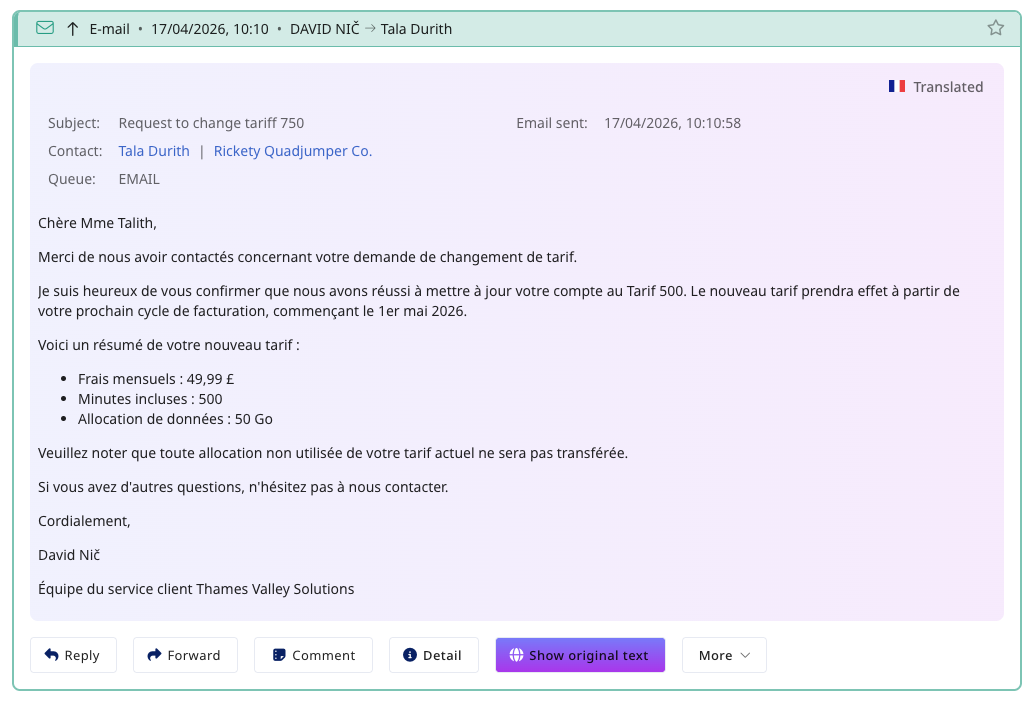
Email translation now matches the speed of chat translations. A new Translate button appears directly in the email body — select a language and the subject and body are replaced instantly, preserving HTML formatting and inline images.
A clear indicator shows when content is translated, and users can revert to the original at any time.
Managing AI Coworkers now mirrors live user management. Create dedicated AI Coworkers per scenario (Voicebot, Mailbot, Chatbot) with direct access to their conversation builder.
Improved visual presentation of AI chat dialogues and enhanced handover context when an AI Coworker transfers a conversation to a live operator.
A new queue type combining Daktela's dialing and record management with AI Coworker voicebot execution — including working hours, dialer behaviour, and voicemail detection.
AI Coworkers can now work with the Knowledge Base, understand routing targets, and create tickets directly from conversation flows — all without custom API requests.
AI Coworker Chatbots are now available across WhatsApp, Viber, Instagram, and SMS — deploy the same conversational flows on every messaging channel.


