
A redesigned ticket experience, unified activity tracking, and a new AI Hub — everything your team needs to deliver faster, smarter customer care.
Redesigned from the ground up — cleaner layouts, unified time tracking, and improved visibility across every channel.
We've completely redesigned the ticket detail to deliver a more modern, comfortable workspace. The new two-column layout keeps the most important information visible at all times, while a fixed header and footer provide consistent access to key actions.
Each column scrolls independently, allowing agents to review long ticket content, internal notes, and related information — without losing context.
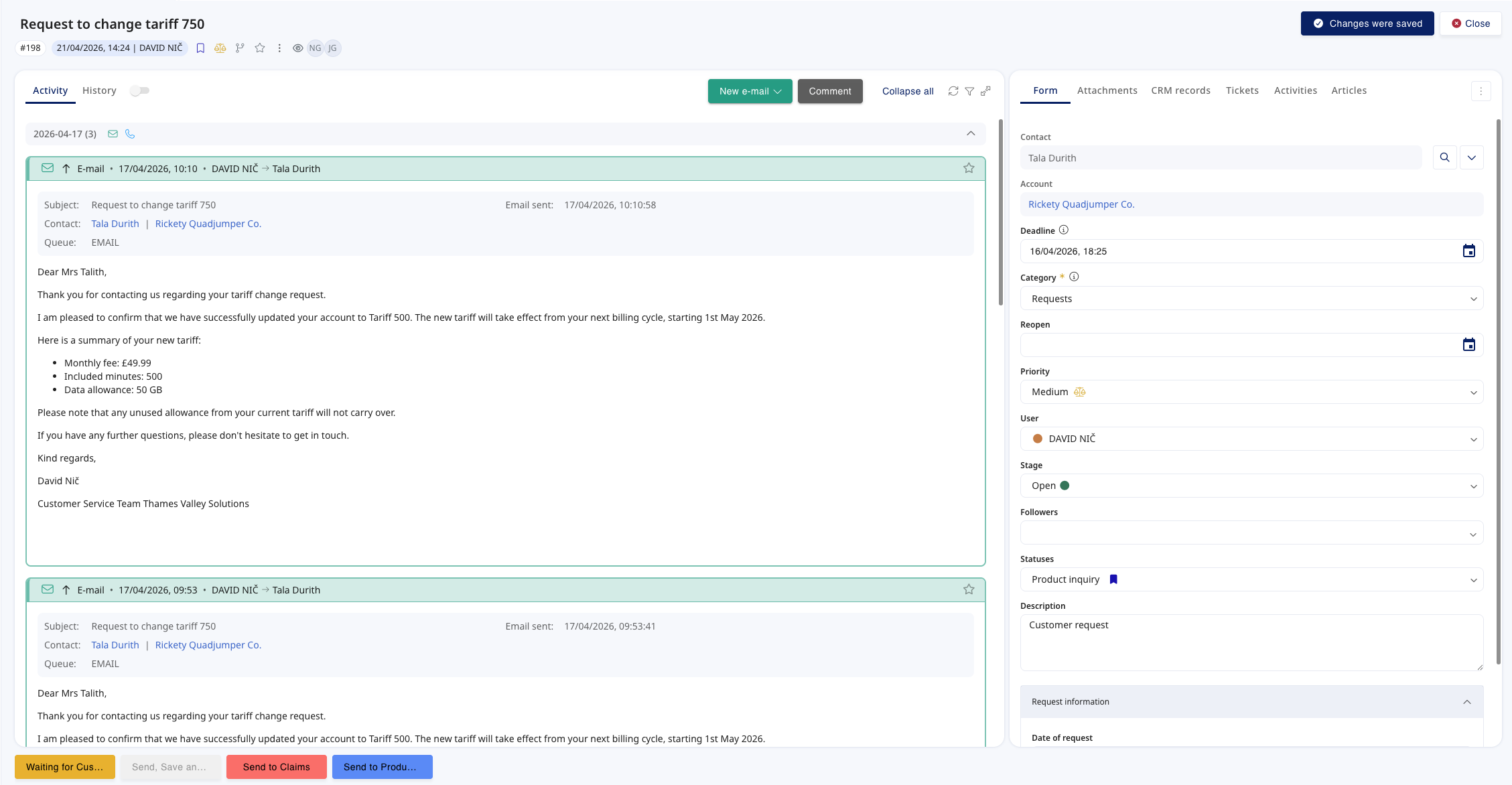
Working with tickets is now handled as a timed activity. Opening a ticket automatically creates an activity tab — so ticket handling can finally be time-tracked, just like calls and chats.
This closes a long-standing gap for customers who need full visibility into agent workload, including time spent outside of real-time channels.
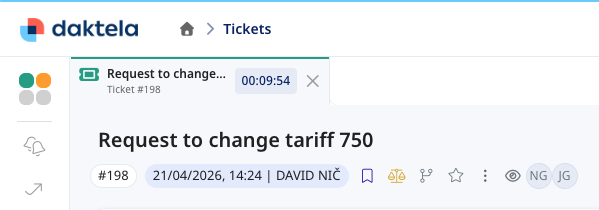
The ticket history has been completely rebuilt. Updates are displayed chronologically and can be expanded to show exactly what changed — with visual highlights on affected fields.
A new Context view combines ticket updates and activities into a single chronological timeline, creating a full-picture overview of the ticket's lifecycle.
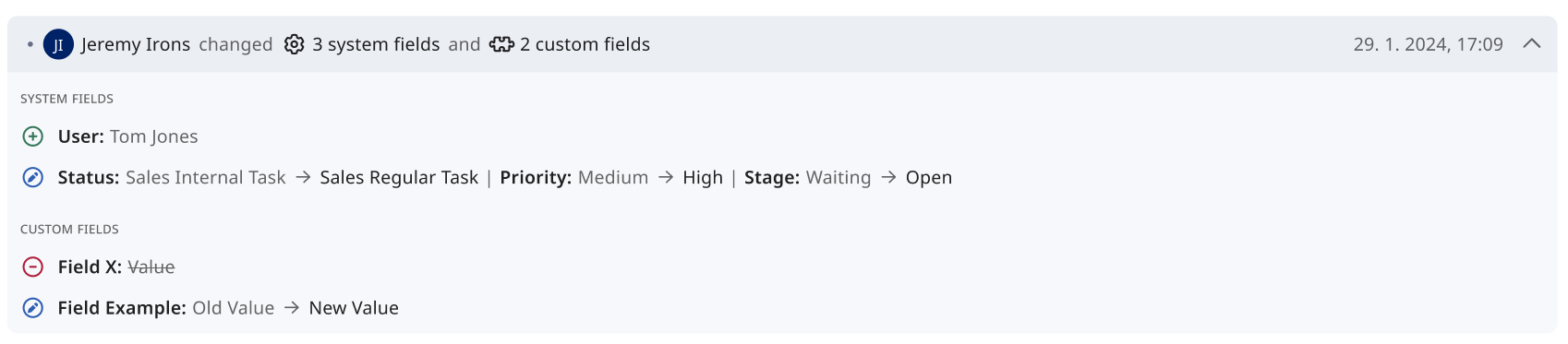
Outbound emails no longer open in a separate tab. Emails can now be composed directly inside the ticket detail — everything stays in one place while agents draft their response.
A ticket can now run both a ticket activity and an email activity simultaneously, each measured independently for granular workload insights.
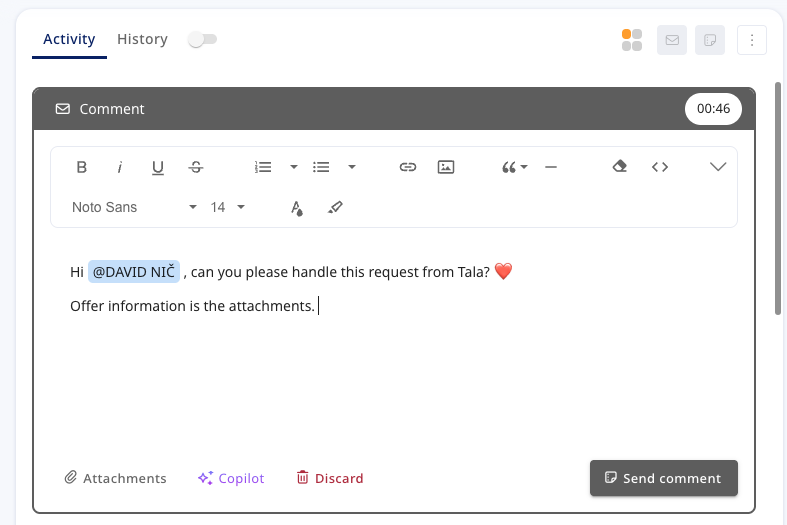
Writing comments is now a timed activity, letting teams capture how much time agents spend composing notes — completing the unified activity model.
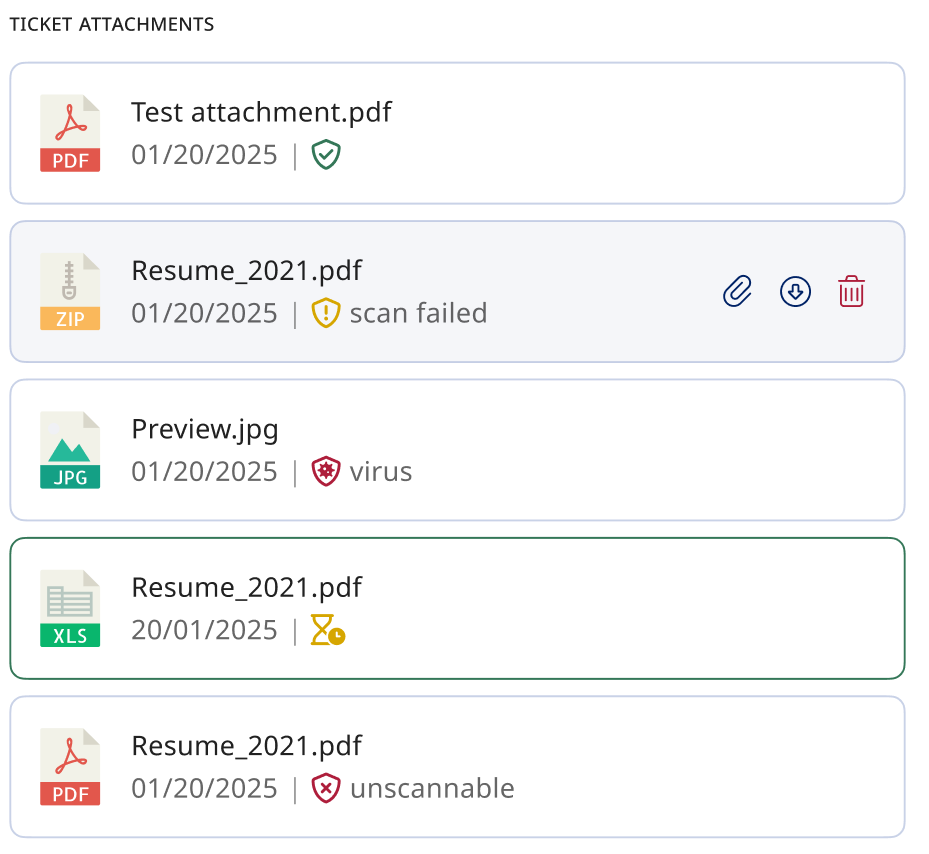
All uploaded attachments are now automatically scanned. Each file shows a clear status icon — safe, threat detected, or unscannable — directly in the ticket detail.
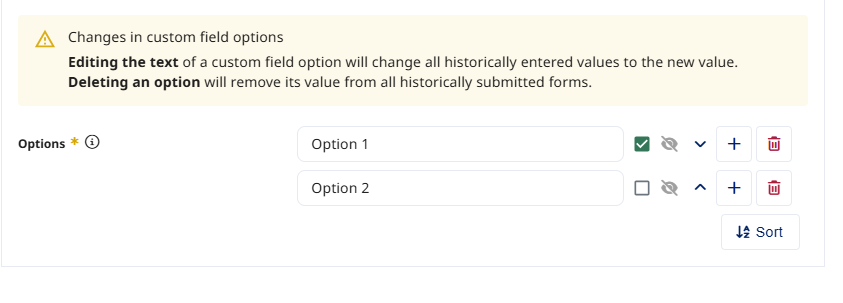
Deactivated options remain visible in historical forms but are no longer selectable. Renaming an option updates the value across all previously submitted forms.
Each widget now lives in its own tab — no more endless scrolling. A dedicated AI Coworker tab separates automated activity from real agent workload.
Agents can now see whether a WhatsApp message was successfully delivered and when it was read — matching the native messaging experience.
A new queue-level option generates Speech-to-Text only when required by AI QA, reducing unnecessary processing and optimising consumption.
A centralised AI Hub, more capable coworkers, and deeper integrations across every communication channel.
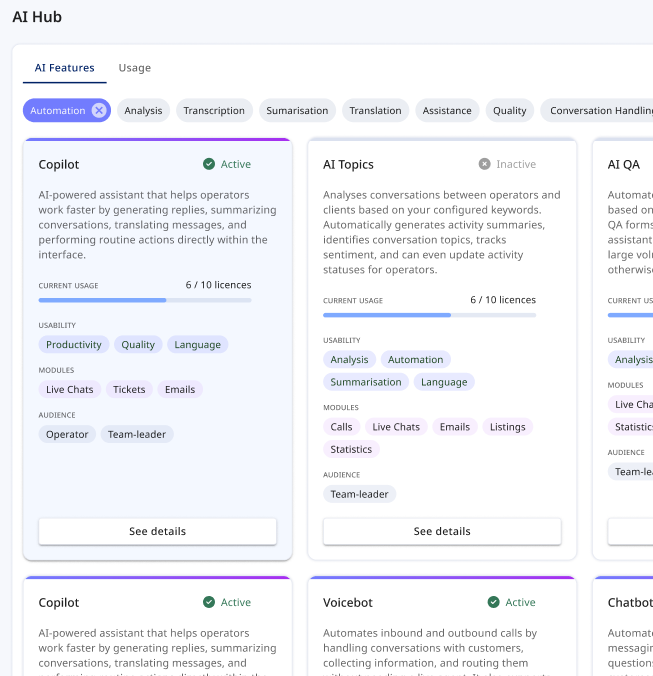
Your central place for everything related to Daktela AI. The AI Hub provides a clear overview of all available AI features — what they do, how to enable them, and where to find documentation.
Features are displayed as cards with activation status, descriptions, and practical tags. A dedicated Usage tab tracks consumption and key statistics to support self-service decisions.
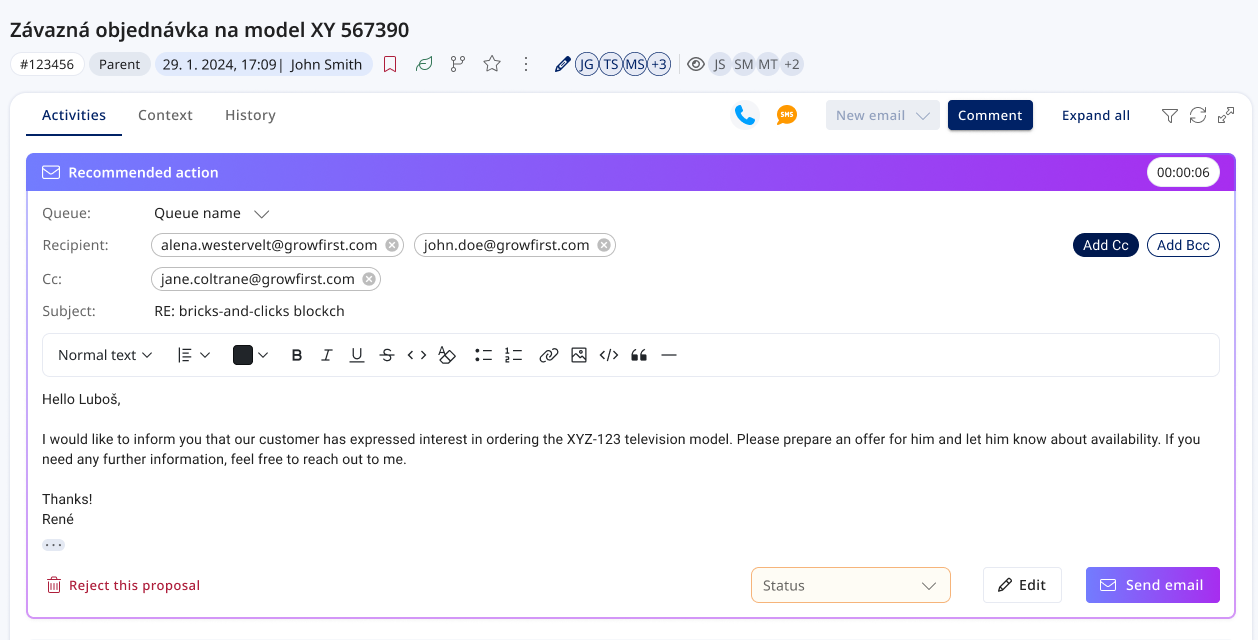
Mailbots can now draft an email reply and save it directly into the ticket. Agents review the suggestion and send in one click, edit before sending, or discard entirely.
The result is fed back to the AI Coworker — providing feedback on what was used and improving future handling.
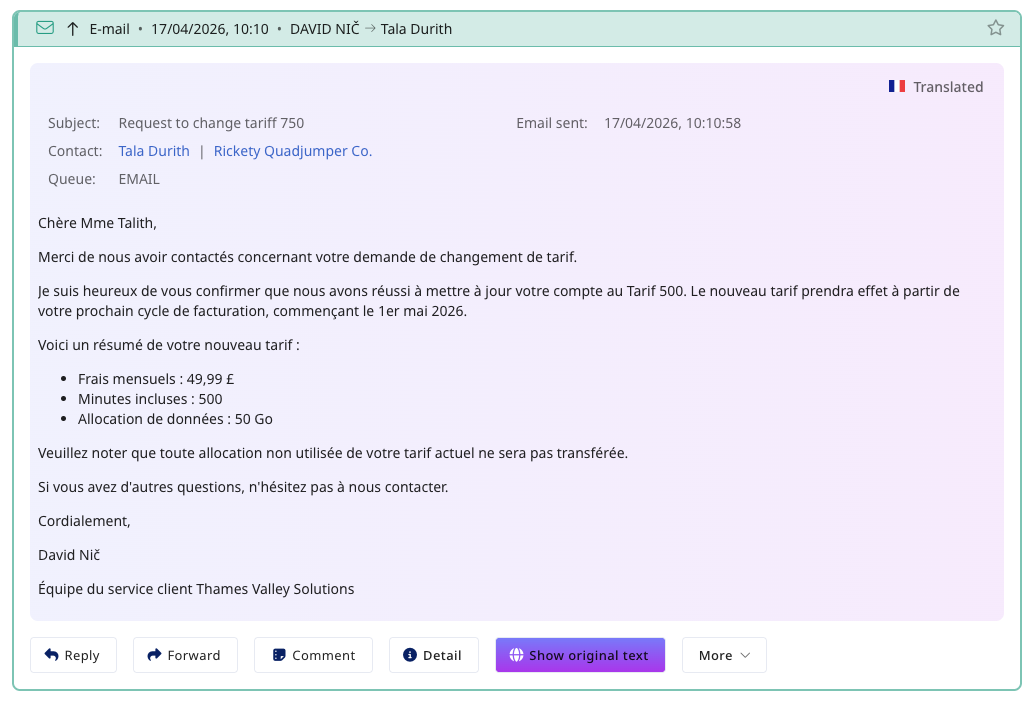
Email translation now matches the speed of chat translations. A new Translate button appears directly in the email body — select a language and the subject and body are replaced instantly, preserving HTML formatting and inline images.
A clear indicator shows when content is translated, and users can revert to the original at any time.
Managing AI Coworkers now mirrors live user management. Create dedicated AI Coworkers per scenario (Voicebot, Mailbot, Chatbot) with direct access to their conversation builder.
Improved visual presentation of AI chat dialogues and enhanced handover context when an AI Coworker transfers a conversation to a live operator.
A new queue type combining Daktela's dialing and record management with AI Coworker voicebot execution — including working hours, dialer behaviour, and voicemail detection.
AI Coworkers can now work with the Knowledge Base, understand routing targets, and create tickets directly from conversation flows — all without custom API requests.
AI Coworker Chatbots are now available across WhatsApp, Viber, Instagram, and SMS — deploy the same conversational flows on every messaging channel.
Dozens of further improvements across tickets, the agent workspace, administration, integrations, and AI.
Tickets now handle concurrent work gracefully. Clear banners show who else is editing and what changed, in-progress emails and comments are protected, and actions like delete or merge are blocked while others work on the ticket.
Compose an email now and have it sent automatically later — ideal for replying outside a customer's business hours. Scheduled emails live in the new Pending activities section, where you can send now, edit, reschedule, or cancel.
Incoming emails are matched to existing tickets using email headers, so conversations stay together even when subjects change. When a thread splits across tickets, Daktela suggests the related tickets and offers a one-click merge.
Replying to a specific message now works in both directions — agents see exactly which message a customer replied to, and can reply to a specific message themselves, displayed natively in WhatsApp.
Each ticket view can now have its own column configuration, so every workflow shows exactly the fields it needs — with rights-level columns as the fallback.
Users can now create and organise their own ticket views. Personal views live in a My views section below team views, with drag & drop into folders and subviews.
Admins can now define the evaluation order of routing rules, switch rules on or off, and stop further evaluation once a rule matches — making email routing predictable and easier to manage.
A new template type for ticket comments. Admins prepare rich-text templates with attachments per ticket category, and agents insert them at the cursor position in one click.
Fix a typo or update information without deleting and re-posting. Edited comments carry a visible edited timestamp and a full edit history, with a dedicated permission to control who can edit.
The rules for when a waiting or closed ticket automatically reopens have been refined — external comments always reopen the ticket, internal actions no longer cause surprise state changes, and archived tickets stay archived.
A new category setting can require a reopen date and time whenever a ticket is moved to the waiting stage — so no ticket waits forever.
Merging tickets is now governed by a dedicated access right. Users without it don't see the merge action at all, and API merge calls are rejected.
A new hourglass icon in the ticket header shows the total time all users have collectively spent on the ticket, updating live — effort at a glance.
When a ticket is tagged from another ticket, the mention now appears in the tagged ticket's history and triggers a notification — cross-references are visible to everyone.
A one-click button in call, chat, email, and comment activities copies the activity link to the clipboard — handy for pasting into internal systems.
Ticket activities now have a proper detail view — user, timestamps, duration, focus time, and a direct link to the ticket — plus clearer, linkable rows in the Activities grid.
Drag to resize the ticket detail columns and swap widgets to arrange the workspace exactly the way you like.
Forms now highlight the fields you have changed before saving, so it's always clear what is about to be updated.
The rich-text editor now supports code blocks — share snippets, logs, and configuration in a clean, readable monospaced format.
Pinned items can now be reordered, letting you keep your most important shortcuts exactly where you want them.
An extended set of keyboard shortcuts plus a new overview modal that lists them all — work faster without touching the mouse.
Jump between Daktela products — Contact Centre, AI, WFM, and the Apps ecosystem — from a single switcher, no separate logins or bookmarks needed.
More compact tabs and buttons, reordered activity actions, improved URL and browser-tab workflows, and frontend performance tuning for a noticeably snappier experience.
Admins can pre-fill any custom field with a default value per form context — ticket category, CRM database, or contact form — applied both in the UI and via the API.
Number custom fields are now stored as true numbers, so they sort correctly (1, 2, 10 instead of 1, 10, 2) and range filters stay fast even on large datasets.
Custom fields are now available on the user detail, letting you store organisation-specific information directly on user profiles.
2FA can now be enforced at login with a guided authenticator-app setup, and a new email one-time-code option offers a low-friction alternative. Every user now carries an authentication email for security workflows.
A new CSAT survey entity with a configurable scale and form fields. Surveys can be linked to activities and tickets and are fully manageable via the API.
A new ready-made integration connecting Daktela with Salesforce.
A new ready-made integration connecting Daktela with Pipedrive CRM.
See Webex presence directly in Daktela with the new Webex Presence integration box.
A new ready-made Newton Analytics integration hands call recordings over to the Newton speech-to-text platform — configured in minutes with a token, datasource, and queue selection.
A new depth parameter lets API consumers limit how deeply related objects are expanded — smaller payloads, faster integrations, and lower token costs for AI use cases.
Trusted API users can flag updates as silent to skip notifications and event triggers while keeping a full, clearly marked audit trail — ideal for bulk syncs.
Trusted API users can create or update records without filling mandatory custom fields — unblocking integrations and data migrations, opt-in per request.
Connect AI assistants to Daktela through the new MCP Server — work with tickets, contacts, and activities conversationally. Sign-in is handled through secure OAuth, and write access is governed by a dedicated MCP Write permission.
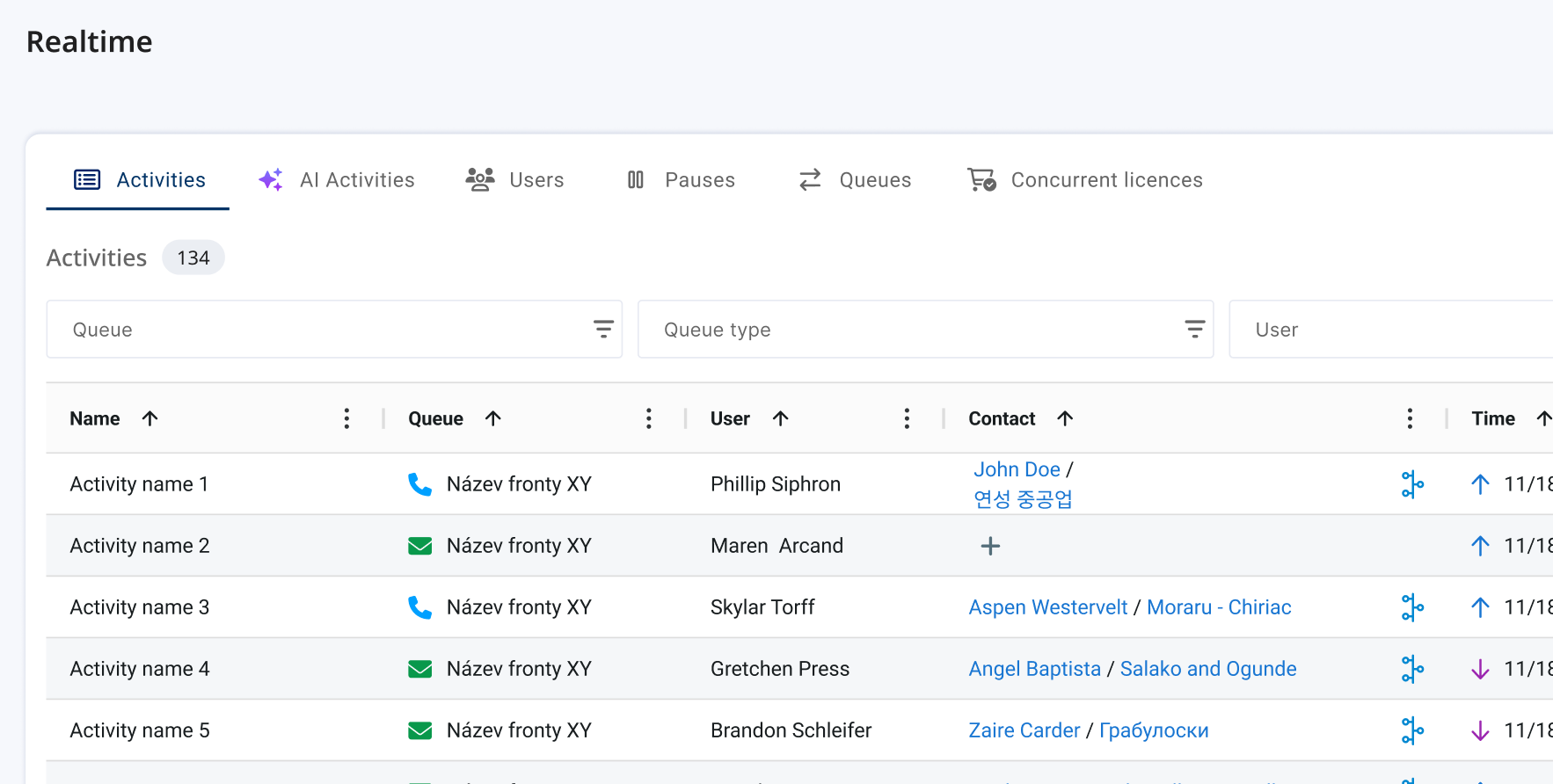
AI Coworkers can now have emoji avatars, making automated users instantly recognisable across listings and realtime views.